What Is the Best Network Architecture for Multi-Emirate Branch Connectivity?
For UAE financial institutions managing branches across multiple emirates, the network architecture question is not primarily about cost. It’s about resilience by design.






























We start by understanding your business goals, challenges, and vision. Every solution begins with a clear understanding of what matters most to you.
Our experts map out a customized IT roadmap, aligning technology, scalability, and user experience to your organizational objectives.
From device deployment to integration, we ensure every rollout is seamless, secure, and ready for immediate use across your enterprise.
We proactively monitor, manage, and maintain your IT minimizing downtime and maximizing productivity across your teams.
As your business scales, we revisit, refine, and reimagine IT setup, ensuring your technology evolves as fast as your ambitions.
For UAE financial institutions managing branches across multiple emirates, the network architecture question is not primarily about cost. It’s about resilience by design.
Learn how Indian life and general insurance companies can efficiently store, manage, and retrieve decades of legacy policy records using tiered storage, object storage, and metadata discipline to ensure IRDAI compliance.

Discover top storage solutions helping BFSI companies comply with RBI’s continuous uptime mandates
Discover how upgrading from AutoCAD LT to AutoCAD can help you generate designs up to 3.9 times quicker.

Download the HPE Aruba Networking guide to unify SD-WAN and SSE into a single SASE platform. Simplify security and lower costs with Brilyant IT Solutions

Discover how Cisco Secure Firewall strengthens security resilience across hybrid and multicloud environments. Download the eBook to learn more.

Key Takeaways: 1,000+ MacBooks Deployed: Enabled enterprise-wide transition to Mac across the organisation. ₹2.12 Cr. TCO Savings: Reduced long-term technology costs through a strategic shift from Windows PCs to Mac. 3X Faster Deployment: Accelerated Mac deployment, saving 23,100 IT hours. Seamless Mac Adoption: Enabled 1,000+ employees to transition confidently from PCs through

Key Takeaways: Enabled affordable access to premium smartphones through a Smart Employee Purchase Program (EPP) Simplified employee purchases with zero-interest EMI and salary-based deductions Streamlined HR and finance approval workflows through policy-driven automation Delivered end-to-end program management, from onboarding to device disbursement Opportunity: The organization wanted to strengthen its employee

Key Takeaways: Built a highly available cloud infrastructure with zero-downtime capabilities Strengthened business continuity through an active Disaster Recovery (DR) framework Improved regulatory compliance for BFSI workloads Automated failover to eliminate single points of failure Opportunity: As the organization expanded its footprint in the BFSI sector, its legacy cloud infrastructure

See how Tech Paramount Solutions used Mac mini on-device AI and edge computing for industrial video analytics across 100 cameras.

Watch this session as Laxmi Nageswari shares practical AI use cases transforming the modern workplace.

Your iPad has the capability to work as your laptop whenever you are on the go.
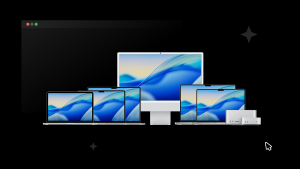
Join Apple & Brilyant on 21st November. Register now and discover what a smarter, more secure and seamless Apple-powered workplace can look like.
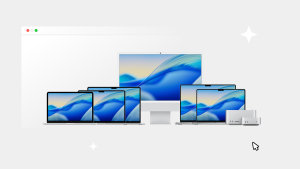
Join Apple & Brilyant on 4th November. Register now and discover what a smarter, more secure and seamless Apple-powered workplace can look like.

Join Apple & Brilyant on 4th November. Register now and discover what a smarter, more secure and seamless Apple-powered workplace can look like.